
Your learning analytics
The Analytics tab is your own record: what you have learned, and what you did to learn it. It reads your account and nobody else’s.
This page is the entry-by-entry account of that tab. Each tile and chart below states what it counts, the scale it counts on, how far back it reaches, and what it shows when you have not done that thing yet.
Where to find it
Section titled “Where to find it”Sign in to the web app, open Competencies, then the Analytics tab. The
address is /analytics.
You have to be signed in. A signed-out visitor is sent to the sign-in page — see Create an account and sign in.
Summary tiles
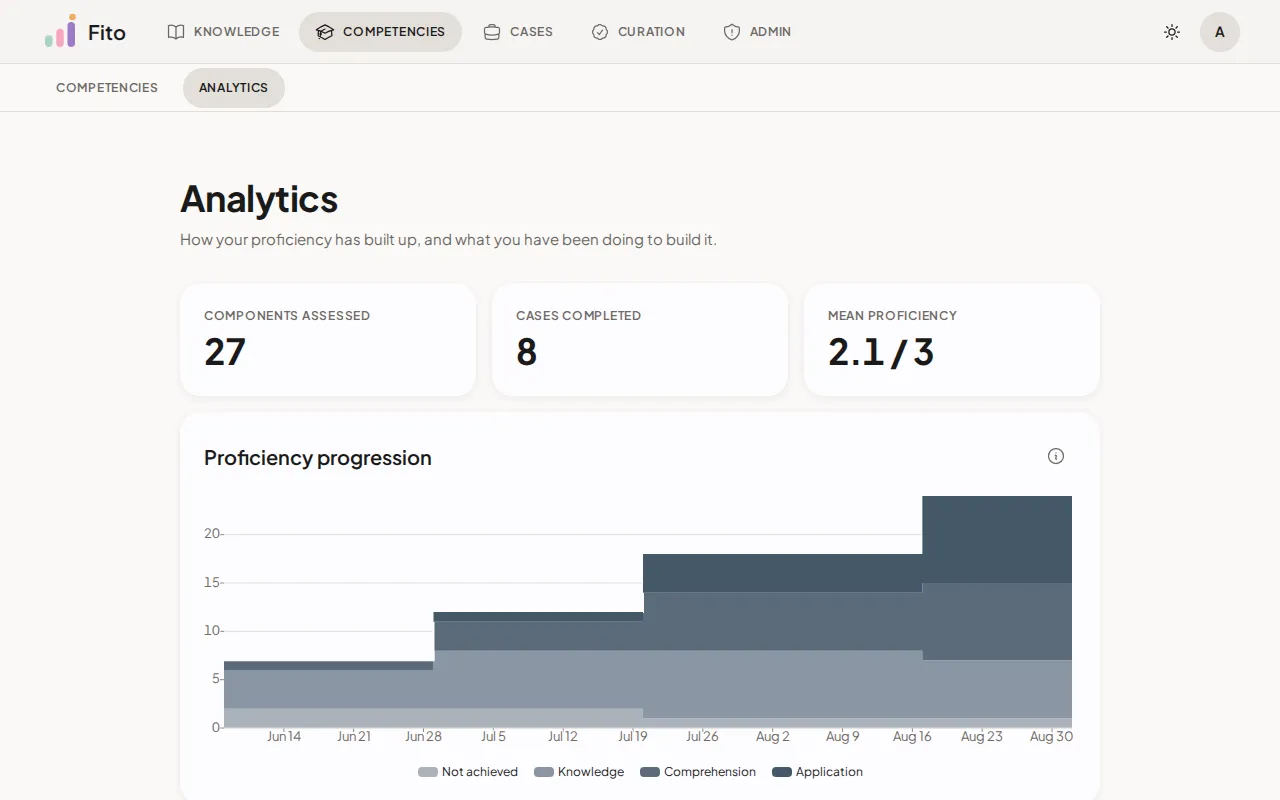
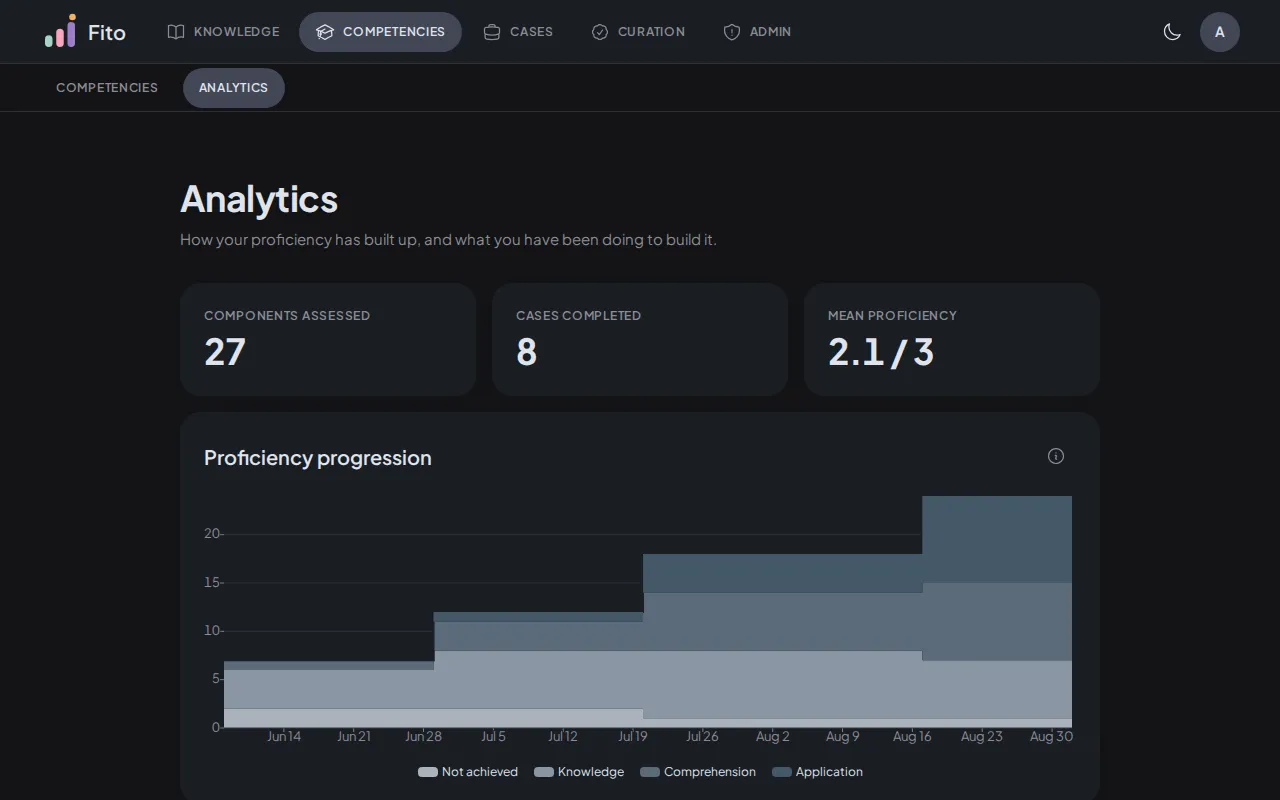
Section titled “Summary tiles”Three numbers across the top. They are headline figures, not charts, and none of them takes a window: each one is your whole history.
| Tile | What it counts |
|---|---|
| Components assessed | Distinct knowledge components you hold a recorded result on. A result of NOT_ACHIEVED counts: assessed without meeting the criterion is still assessed. |
| Cases completed | Distinct cases you submitted to, where that submission was afterwards evaluated — by the rubric path or the quiz path. A submission with no result is work in progress, not a completion. |
| Mean proficiency | Your average proficiency across the components above, on the 0–3 band. |
Mean proficiency reads — rather than 0.0 before your first assessment. A
mean over nothing is no value, while 0 is NOT_ACHIEVED — a real level
somebody can hold. The two counts beside it are genuine counts, so a count of
nothing stays 0.
Proficiency progression
Section titled “Proficiency progression”Counts: the knowledge components you have been assessed on, stacked by the proficiency level you hold in each.
Scale: whole components. The four bands together are your assessed total, which is the Components assessed tile directly above the chart.
Bands, bottom to top: Not achieved, Knowledge, Comprehension,
Application.
Reach: your whole history, with no window. The series is a step: a level you hold stays until the next assessment changes it, and the last value is carried forward to today so the chart ends where you are now.
When it is empty: No assessments yet, with “Open a case to start your progression.”
Your standing never moves down. Fito keeps the highest level you have ever reached on a component, across every attempt. A later assessment can raise it; a lower one does not replace it. That is why this chart only ever climbs, and why a component never moves back to a paler band.
Not achieved is a band rather than a gap. It is a component you were assessed
on without meeting the criterion — a result, not an absence. For what the levels
mean, see Bloom levels and proficiency.
Time to first submission
Section titled “Time to first submission”Counts: one bar per case, measuring from when you opened it to your first submission on it. Longest first.
Scale: hours and minutes.
Reach: every case you have submitted to.
When it is empty: No submissions yet, with “Open a case and submit to see how long it took.”
Momentum
Section titled “Momentum”Counts: the components that moved up a proficiency level in each month. Not the assessments you took.
Scale: whole components.
Reach: monthly, zero-filled through the current month.
When it is empty: No proficiency advances yet, with “Complete a case to advance your first component.”
A month at zero means nothing advanced. That is not the same as doing nothing, which is why this chart sits beside Weekly activity — read the two together. Momentum answers did you advance; activity answers did you show up.
Weekly activity
Section titled “Weekly activity”Counts: three acts per week — cases opened, submissions made, and assessments recorded.
Scale: whole acts, all three series on one axis.
Reach: twelve weeks on screen at a time.
When it is empty: No activity yet, with “Open a case to get started.”
A week in which you did nothing is plotted as a zero, never left as a gap.
Paging the window
Section titled “Paging the window”Two buttons sit on the chart’s own title row, with the range they are showing between them.
- Earlier steps back a whole twelve weeks.
- Later steps forward, and lands on the live window rather than stopping one step short of it. It is offered only after you have paged back.
The pager is absent for a learner who has never acted. That empty state means nothing has ever happened, not nothing happened in this window, so there is nothing to page through.
How numbers and dates are written
Section titled “How numbers and dates are written”Numbers and dates on this tab are written in en-US rather than in your own
locale — a dot for the decimal point, and dates as Jul 6, 2026. That holds for
every reader, whatever their browser is set to.
The counts in the summary tiles are the exception: they are printed as plain digits, with no thousands separator.
This is deliberate, not an oversight. The tab’s own headings, axis names and labels are English, so following the reader’s locale would have produced numbers in one language inside a card written in another. Fito’s interface is English at this stage; translating it is a separate piece of work.
Who can see this
Section titled “Who can see this”You, and nobody else.
Every read behind this tab is scoped to your own session. There is no route that names another learner, so the only way to ask for somebody else’s record is to hold their credentials. The aggregate figures on a case cover — opens, submissions, completion rate, median time — are a different surface: those are public, they count acts and people, and they name nobody.
For the whole picture, see Your data and privacy.
What’s next
Section titled “What’s next”- Bloom levels and proficiency — what a recorded level means and how it rolls up.
- Submit and read your result — where the assessments these charts count come from.
- How a case is scored — the rubric, the four evaluation methods, and the quiz.